
Quotes, orders, labour, subbies and CIS, extras, site diary and invoices in one place — with every job's costs against its price, and the spend split by phase, while there's still time to do something about it.
One price for your firm, from £25 a month · No VAT to add · Cancel any time
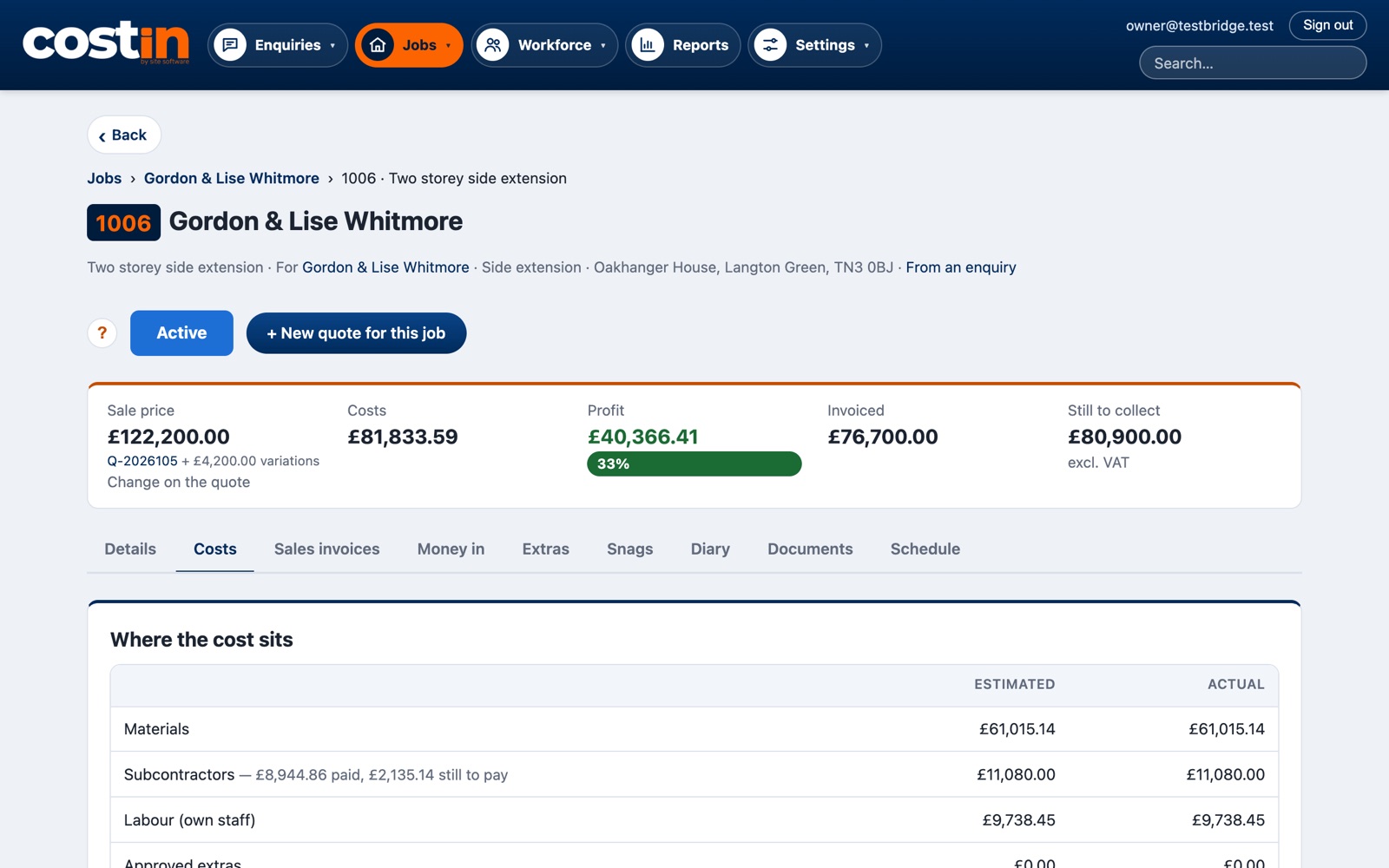
From the site visit to the books, on real costin screens with a made-up firm. Sound on for the voice-over, or follow the captions.
Rather click through at your own pace? Take the 2-minute tour.
costin is made for one kind of firm. If this sounds like you, it'll fit like it was built for you — because it was.
If your day is lots of short jobs — a boiler service here, a socket there — an app made for trades will probably suit you better. costin is for the six-month extension, not the one-hour fix.
Everything a small building firm juggles on paper, in spreadsheets, on WhatsApp and in its head — in the order it actually happens.
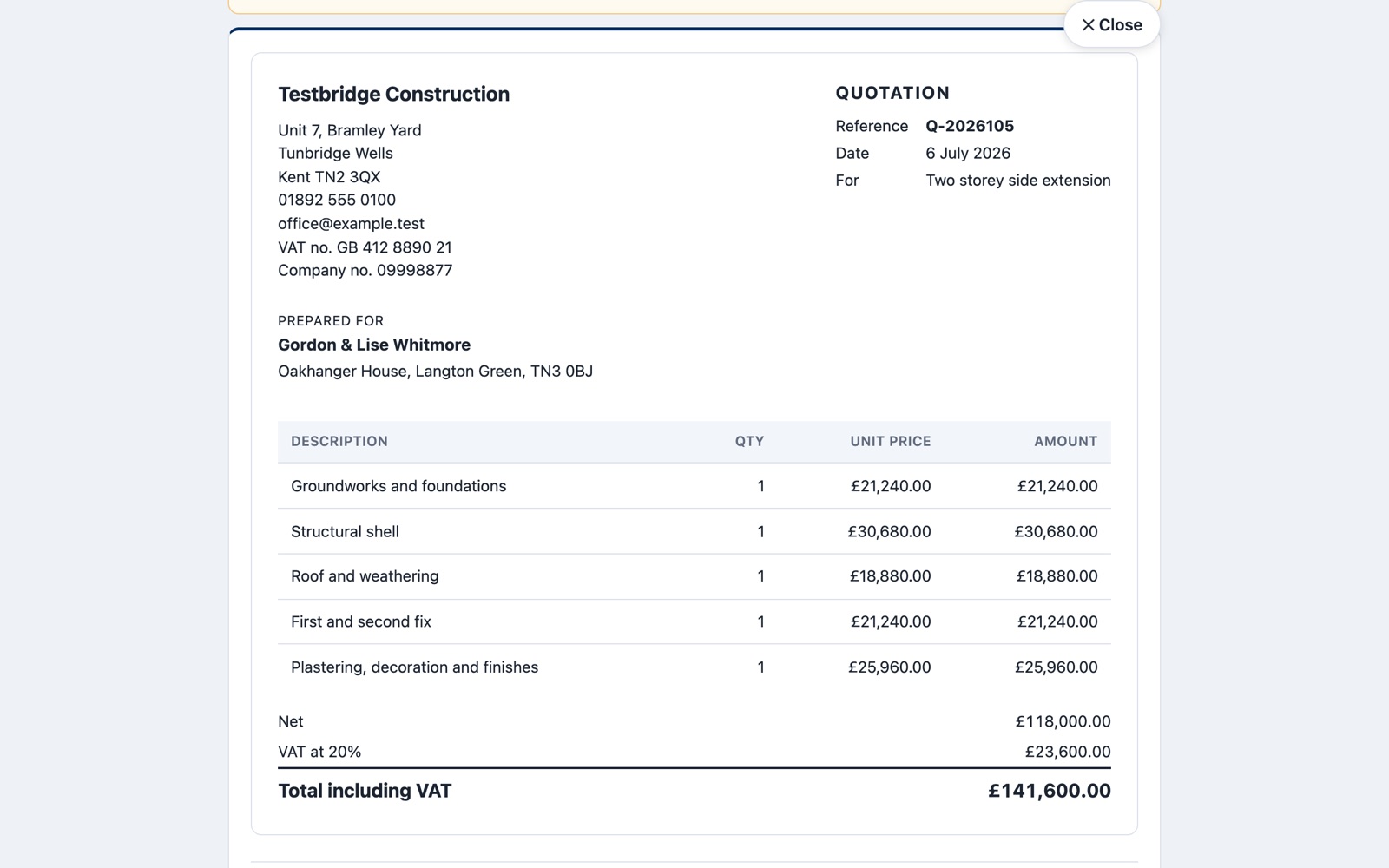
Log the phone call, price the work line by line or as one figure, and send the quote on your own letterhead. You'll see when the customer opens it, and they can accept it online.
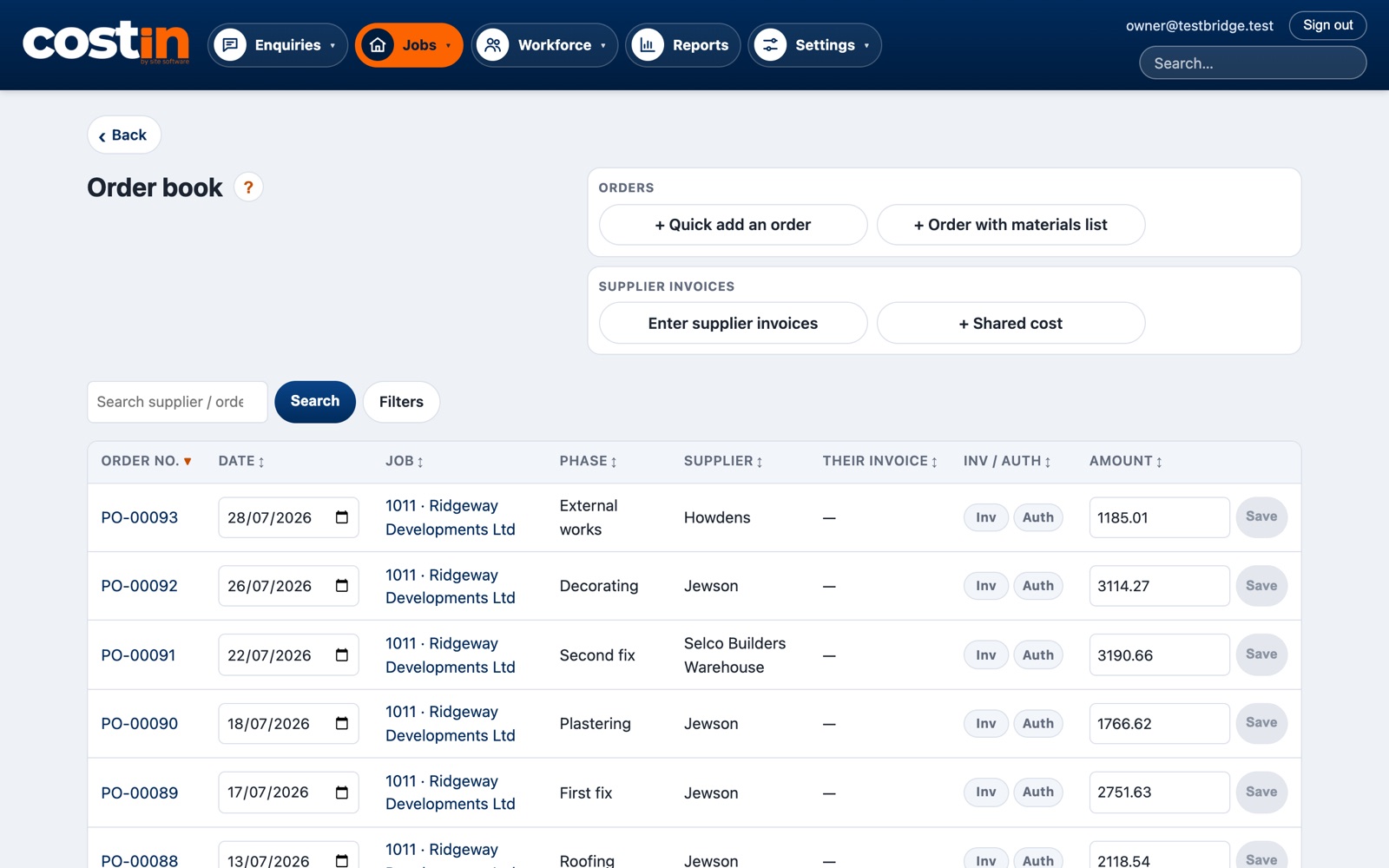
Raise orders against the job and email them to the merchant. At month end, drop in the emailed invoices: costin reads them, matches them to the order and the job, and stops the same invoice being paid twice. Shared costs split across jobs.
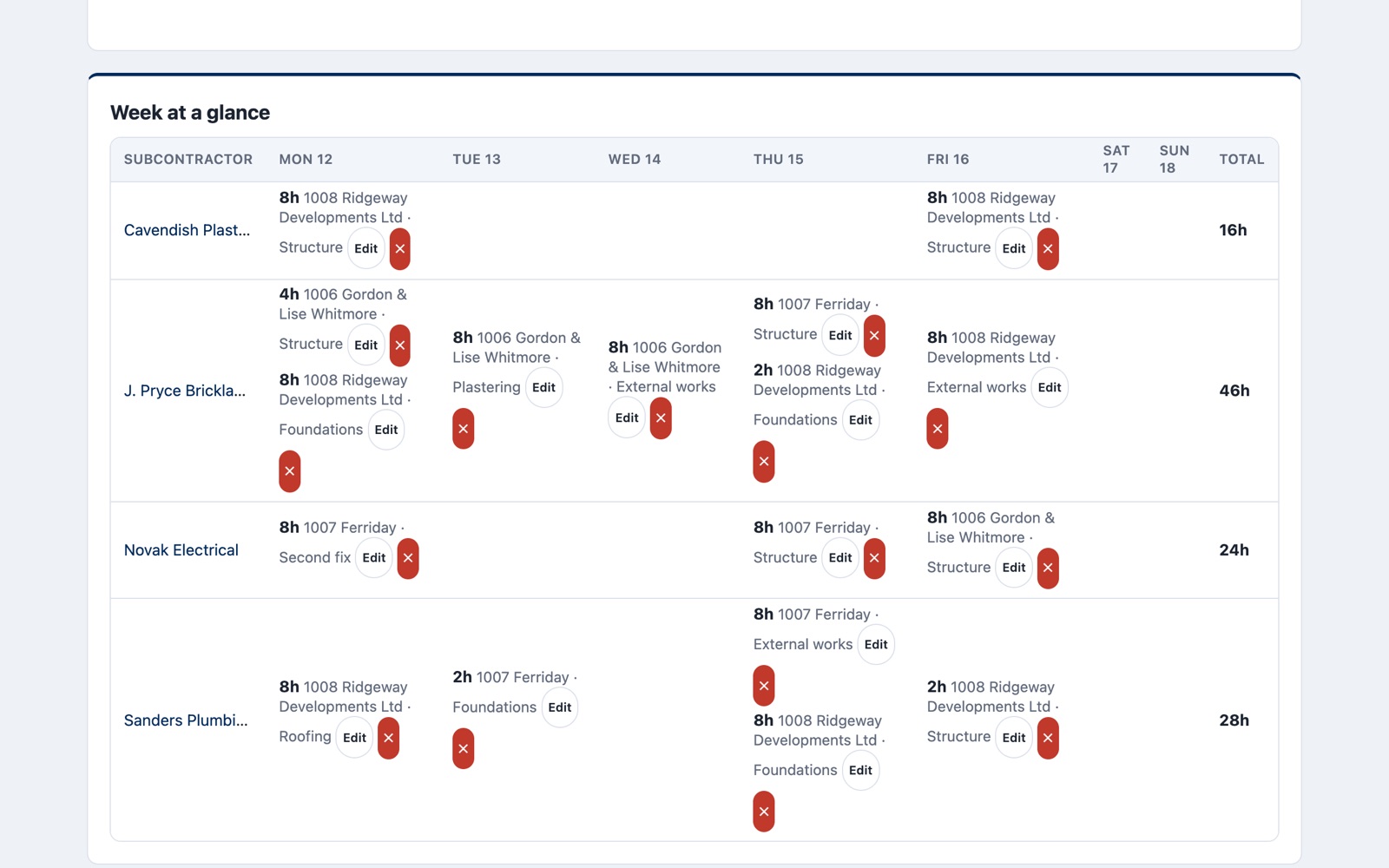
Who was on which job each day. The labour log drives the weekly pay run and the labour cost of every job. Subbies get CIS payment and deduction statements, with the right rate on the day they were paid.
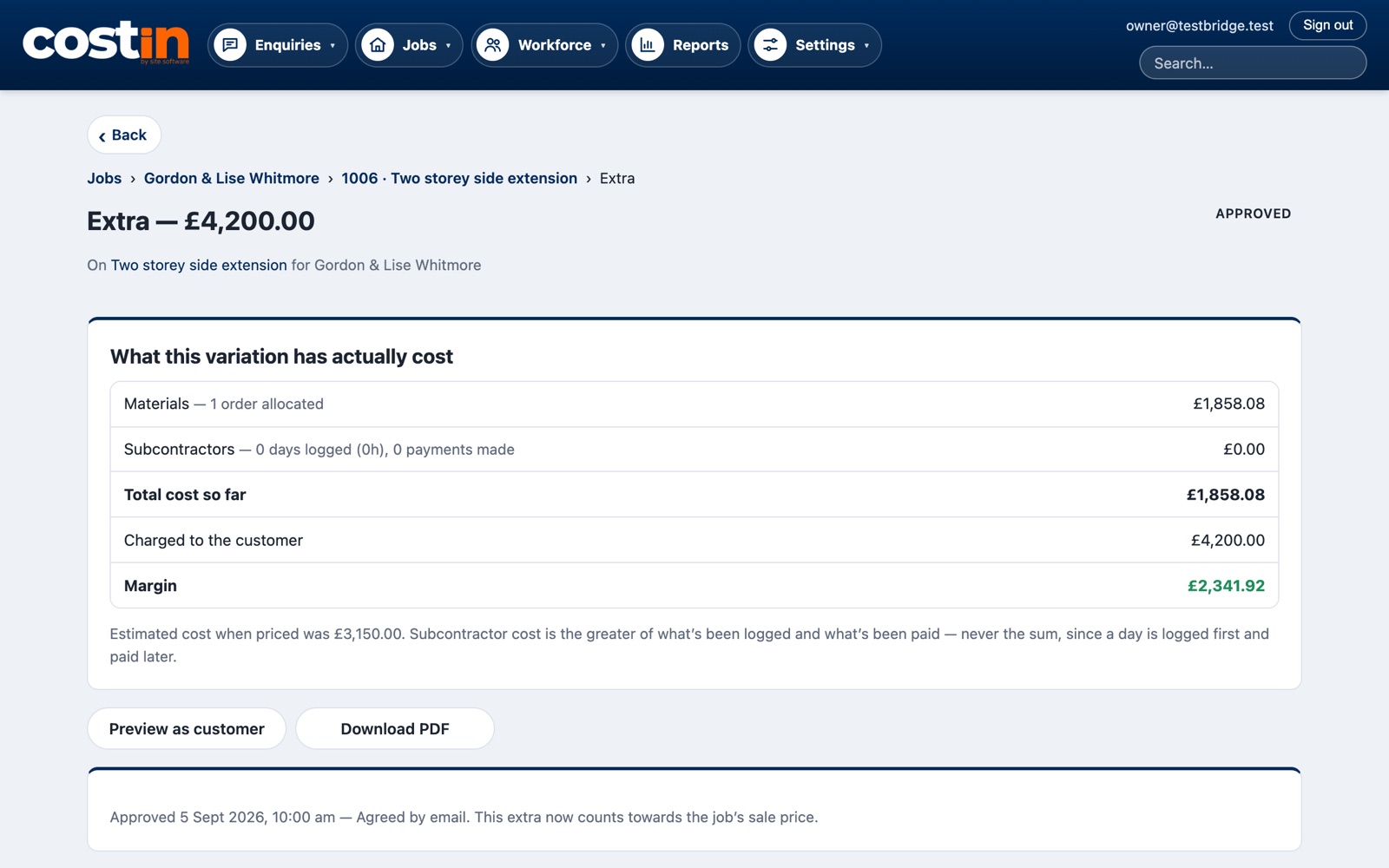
Price an extra, send it for the customer to approve, and see what it really cost you, labour days included. Each day, note the weather, what happened and photos from your phone — then turn the week into an update for the customer on your letterhead, by email or WhatsApp.
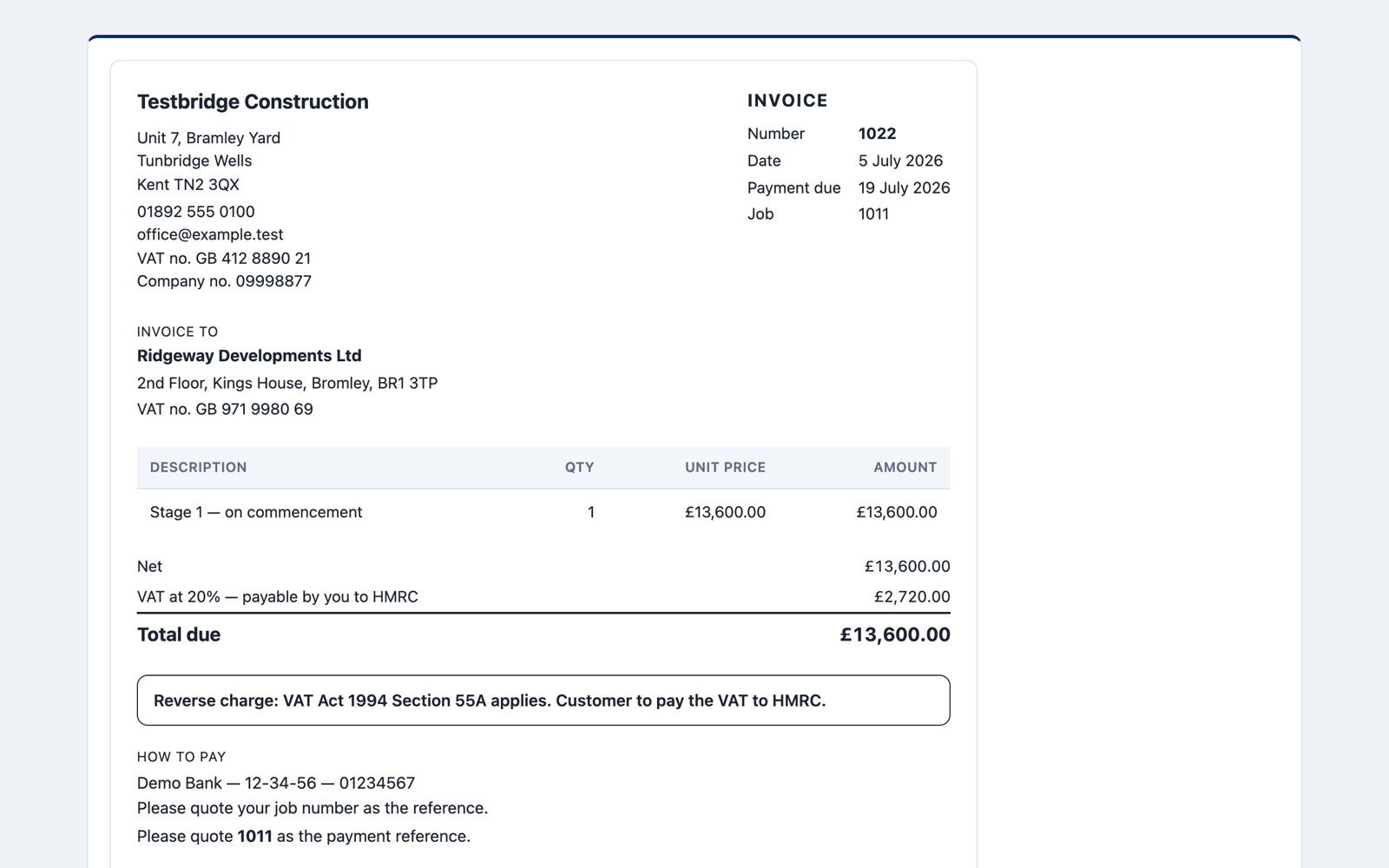
Invoice from the quote, including the domestic reverse charge and zero-rated work, and see what's still owed. Send invoices, bills and overheads to Xero or QuickBooks in a click; when the customer pays, costin sees it.
costin shows every job's price against what it has cost so far — and splits the spend by build phase, so you can see where the money went: groundworks, brickwork, roof, first fix. Extras are costed on their own, against what you charged for them.
An example job, made up for this page. The sums work the same way in costin.
| Where the money went | Materials | Labour and subbies | Total |
|---|---|---|---|
| Groundworks | £4,850 | £4,300 | £9,150 |
| Brickwork and blockwork Biggest so far | £3,900 | £6,100 | £10,000 |
| Roof | £1,600 | £500 | £2,100 |
| Extra: bi-fold upgrade Charged £1,450 | £1,020 | — | £1,020 |
No add-ons and no higher plan to unlock things. Every firm gets all of it.
A list per job with photos, who's fixing what, and what's done.
Drop in fuel receipts and bills, and see each quarter in HMRC's own categories — the figures Making Tax Digital asks for.
Subbies' insurance, your company policies and vans, with a warning before anything runs out.
Site managers log what's happening without seeing prices or wages. Every login is named, so you know who did what.
Put costin on your phone's home screen and it opens like an app, for the diary, photos and labour from site.
Profit by job, what's still owed to you, and one search box that finds any customer, job or invoice.
costin was built by people who run building jobs, after years of spreadsheets and an old database that only one person understood. It runs a working building firm every day. Everything in it is there because it was needed on a real job.
Every firm gets its own separate copy of costin with its own database — your jobs, customers and prices are never stored alongside anyone else’s. We only use your data to run costin for you, and we don’t look at it unless you ask us to help with something. It's backed up every night, and if you leave, you take it with you.
Set by how many people log in. Everything costin does is included.
£25 a month
1 login
£30 a month
Up to 3 logins
+£10 a login
For each login over 3
(so 5 logins is £50 a month)
A month. Most job apps for trades charge per person, often £30–45 a user a month, and many add VAT. costin: no VAT to add.
Email [email protected] with your firm’s name and how many logins you need, and we’ll reply with how to start. You give a card or Direct Debit to start, but nothing is taken for 14 days — cancel before then and you pay nothing. After that it’s month to month (see our terms). Logins you switch off when someone leaves aren’t charged.
Yes. costin works in the browser on any phone, tablet or computer. On a phone you can put it on the home screen and it opens full screen like an app. iPhone: Safari → Share → Add to Home Screen. Android: Chrome offers Install.
Site visits keep working. Open the visit while you still have signal, and the notes, ticks, photos and voice notes you add are kept on your phone and send once you're back in signal. The rest of costin needs a connection: with no signal it shows a clear “No connection” page, and you carry on once you're back in signal.
Most likely. costin sends sales invoices, supplier bills, overheads and customers to Xero or QuickBooks, so nothing is typed twice. It also gives each quarter's figures in HMRC's own categories, with a download for your accountant.
Send us your spreadsheets or an export from your old system and we'll bring your customers, suppliers and price list in for you, free. See switching to costin.
Only the people you give a login to. Every firm has its own separate copy of costin and its own database. We don't look at your records unless you ask us to help with something.
Any time. It's month to month with no contract: costin runs to the end of the month you've paid for, and you can take your records with you.
We're not VAT registered yet, so the price you see is the price you pay. If that changes we'll give you 30 days' notice.
Straight answers: customers can't pay invoices by card from a link yet, only site visits work with no signal (the rest of costin needs a connection), and there's no App Store app (it installs from the browser instead). If any of those is a deal-breaker, tell us — it helps us decide what to build next.
Yes. Take the 2-minute tour — it walks through a building job in costin, screen by screen. Or start the free trial: nothing is taken for 14 days. Questions? Email [email protected] and we’ll get back to you.